
Download Neighbor – torrent client, torrent browser, download, free, Android, utility, tool, mobile app, secure, latest version, APK, update
Overview
Neighbor is a mobile torrent client designed for Android users seeking a streamlined and intuitive way to download content directly from the internet. The app positions itself as a powerful yet accessible tool for individuals who rely on peer-to-peer file sharing for media, software, and other digital files. By integrating a built-in torrent browser, Neighbor eliminates the need to switch between multiple platforms during the search and download process, significantly improving workflow efficiency.
Target users include casual downloaders, media enthusiasts, and tech-savvy individuals who value convenience and control over their digital content. The app’s focus on user-friendliness makes it suitable for beginners, while customizable features appeal to more advanced users. Its ability to provide real-time updates on new releases ensures that users can stay current with trending content across various categories such as films, series, and literature.
Although the developer did not provide additional background information, the app has been available since 2017, indicating a stable presence in the mobile torrenting space. Neighbor fills a niche in the mobile app ecosystem by offering a dedicated, all-in-one solution for torrenting on Android devices, where such tools are often limited or less optimized. The app’s continued availability suggests ongoing maintenance and relevance in a competitive market.
Key Features & Functionality
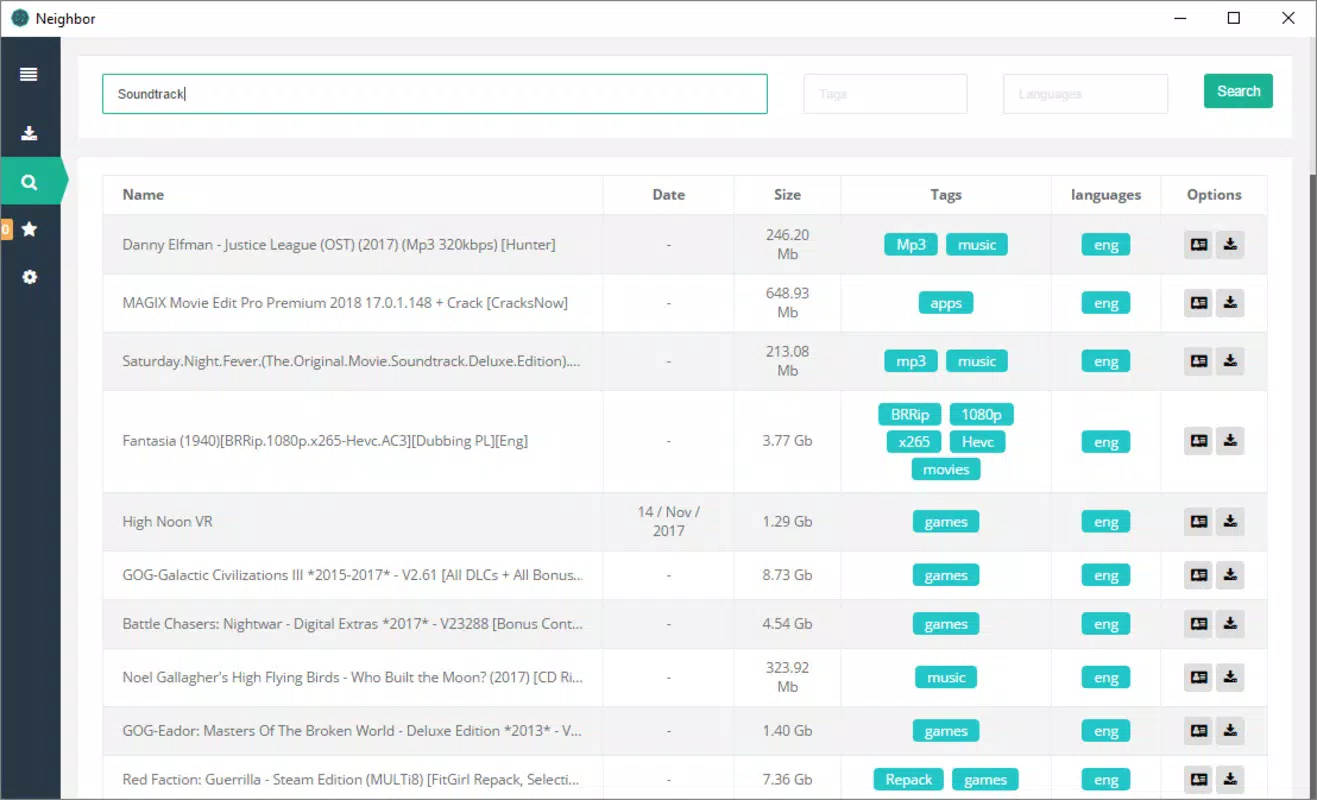
- Integrated Torrent Browser: Neighbor includes a built-in browser that allows users to search for torrents without leaving the app. This feature reduces friction in the download process by centralizing discovery and execution within a single interface.
- Customizable Link Sources: Users can edit the list of servers used for torrent link searches, enabling them to prioritize trusted sources and exclude unreliable or potentially unsafe ones. This enhances both security and result relevance.
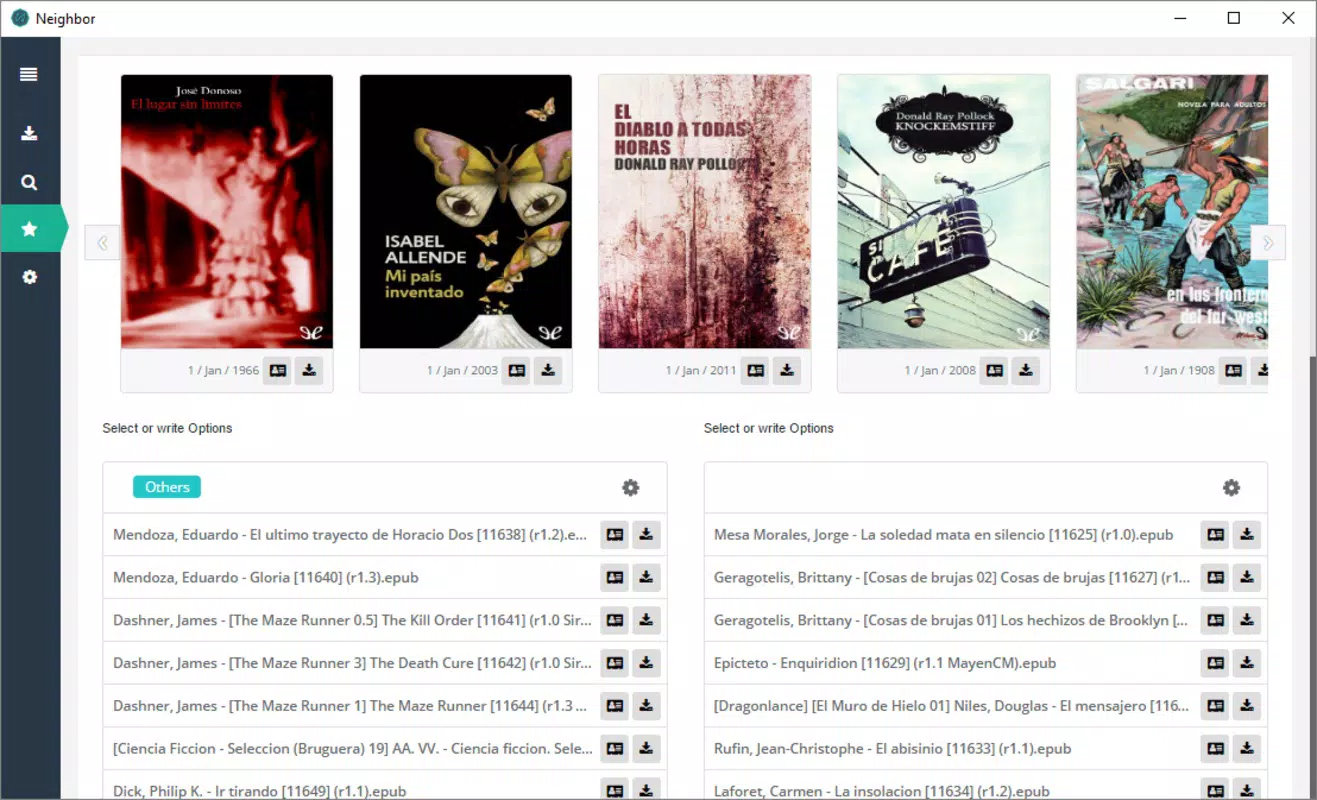
- Latest Releases Section: A dedicated feed displays trending and newly uploaded content, helping users quickly identify popular downloads and stay informed about the latest releases in their preferred categories.
- User-Friendly Interface: The app features a clean, intuitive layout that ensures all core functions are accessible with minimal navigation. This design supports both new users and experienced torrenters seeking a hassle-free experience.
For example, a user interested in downloading a new season of a TV series can use the built-in browser to search for it, select a trusted source from the customizable list, and initiate the download—all within the same interface. Similarly, someone tracking the latest movie releases can check the "Latest Releases" section to find and download new uploads without external searching. These real-world applications demonstrate how Neighbor enhances efficiency and user control in mobile torrenting.
Interface, UX & Performance
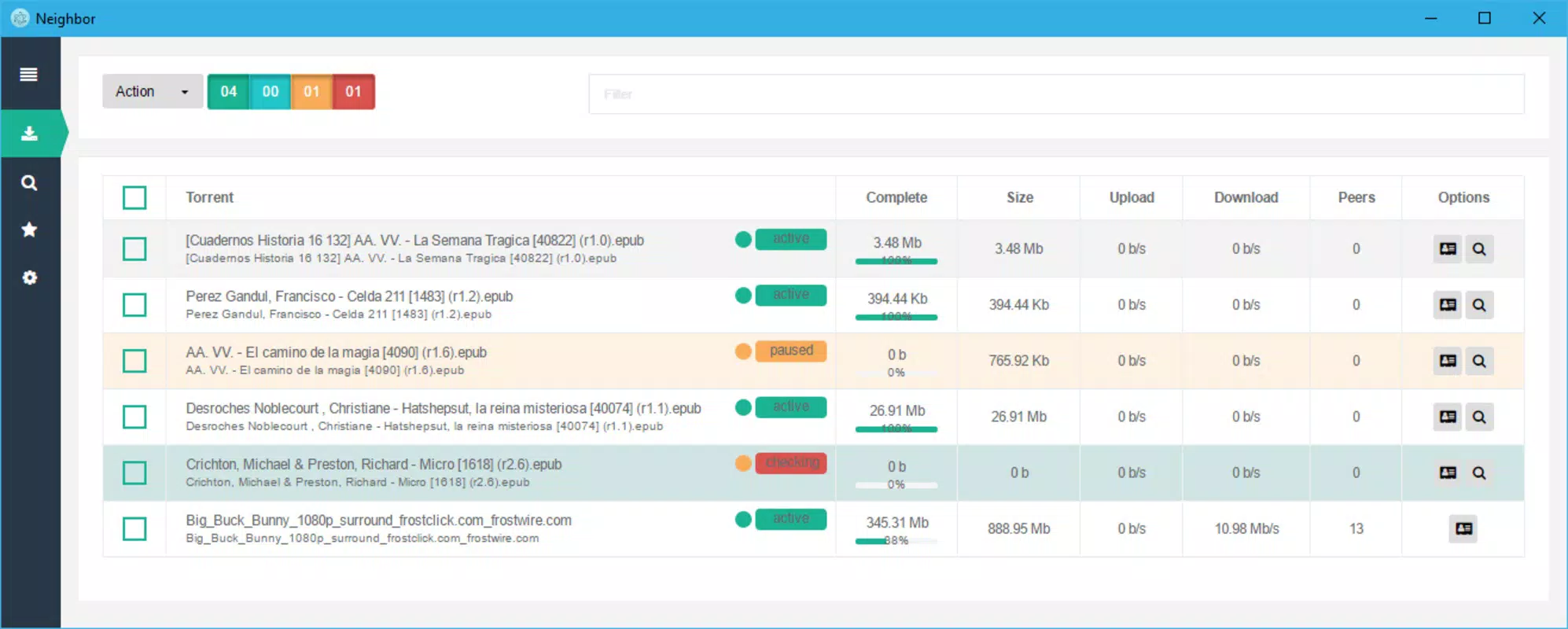
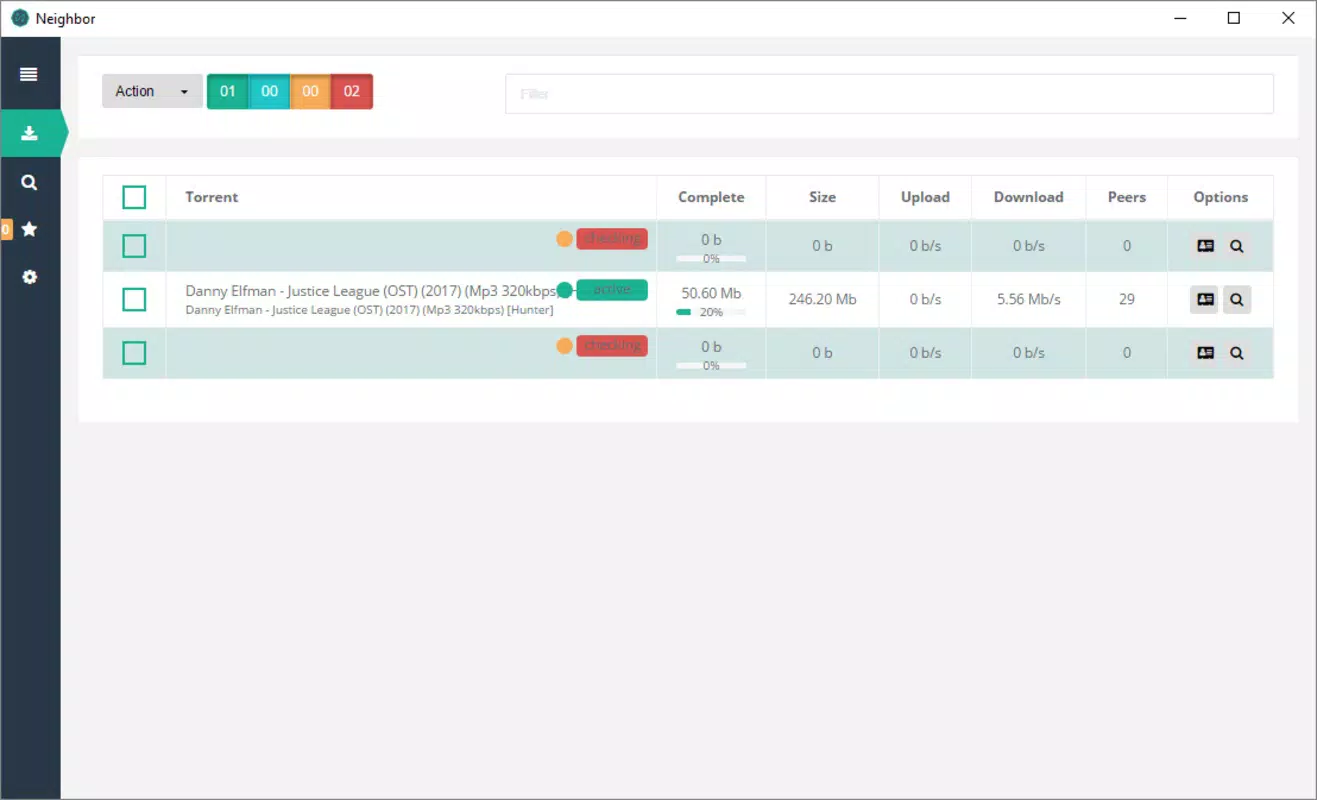
Neighbor presents a minimalist yet functional user interface, optimized for mobile screens. The layout emphasizes clarity and ease of access, with key actions such as search, download management, and settings placed within intuitive navigation paths. Visual design elements are straightforward, avoiding clutter while maintaining visual feedback for ongoing operations like downloads and scans.
Navigation is consistent across screens, allowing users to move seamlessly between the browser, download queue, and settings. The app’s responsiveness is evident in quick load times and smooth transitions, though specific performance metrics were not provided. The developer did not list formal performance benchmarks, but the app’s lightweight footprint of 12.5 MB suggests efficient resource usage.
Although the developer did not list formal performance metrics, the app’s long-standing availability and stable version history indicate a level of reliability. Users can expect consistent behavior across different Android device categories, from budget smartphones to high-end models. Stability during extended download sessions appears to be maintained, though real-world usage patterns were not disclosed. Overall, the UX design prioritizes usability and accessibility, making it a strong choice for users who value simplicity and functionality.
Platform Compatibility & Technical Requirements
Neighbor is available exclusively for Android devices. The current version is 3.2.4, with a file size of 12.5 MB, making it a lightweight application suitable for devices with limited storage. The developer did not specify minimum OS requirements, so compatibility with older or newer Android versions remains unclear.
Given the app’s release date in 2017 and continued updates, it is likely compatible with a broad range of Android versions, though users should verify system compatibility before installation. The app is distributed as a free download, with no in-app purchases or subscription fees. The availability of an APK file allows for direct installation, which may be beneficial for users who prefer sideloading over official app stores.
Specific requirements such as RAM, processor type, or API level were not listed. Therefore, users are advised to ensure their device meets general Android standards for app installation. The absence of detailed technical specifications does not detract from the app’s usability, but it may limit clarity for users with older or non-standard devices.
Pros and Cons
Pros
- Integrated torrent browser streamlines the search and download process
- Customizable link sources improve security and result accuracy
- Real-time updates on new releases keep users informed
- Lightweight size (12.5 MB) ensures minimal storage impact
- Free to download and use with no in-app purchases
Cons
- Minimum OS requirements were not specified
- No official update frequency details provided
- Developer background and company information not disclosed
- Compatibility with specific device models not confirmed
- Security practices and data handling were not outlined
FAQ
Is Neighbor safe to use on Android?
Neighbor is a free mobile app that allows torrenting, but users should exercise caution when downloading files from public sources. The app does not include built-in antivirus or content filtering, so it is recommended to scan downloaded files with a trusted security tool.
Can I install Neighbor without the Google Play Store?
Yes, Neighbor is available as an APK file, allowing direct installation on Android devices. This is useful for users who prefer sideloading or do not have access to the Google Play Store.
Does Neighbor require a paid subscription?
No, Neighbor is completely free to download and use. There are no in-app purchases, ads, or subscription models reported.
How often is Neighbor updated?
The app’s latest version is 3.2.4, released in 2017. While updates have occurred since then, the developer did not provide a regular update schedule or release notes.
Is Neighbor compatible with all Android devices?
Although Neighbor is designed for Android, specific compatibility details were not listed. Users are advised to ensure their device meets general Android requirements for app installation.
Final Thoughts + CTA
Neighbor stands out as a focused, efficient torrent client tailored for Android users who want a seamless mobile torrenting experience. Its integrated browser, customizable sources, and real-time release updates make it a practical tool for media enthusiasts and casual downloaders alike. The lightweight design and free access enhance its appeal, especially for users with limited storage or those seeking a no-frills solution.
While the lack of detailed technical and security information may raise questions for cautious users, the app’s longevity and consistent availability suggest a reliable core functionality. For individuals who prioritize ease of use, direct access to content, and control over their download sources, Neighbor delivers clear value.
Download Neighbor now


